


A guest’s day, and the devices behind it
Imagine a guest named Maria landing on a Caribbean island after a long flight. By the time she is sipping a welcome drink, she has already used four or five pieces of technology without noticing any of them. That is the goal. The best resort technology is invisible when it works and unforgettable when it does not.
Let’s follow her day, and look at what has to be in place behind the scenes.
8:00 PM, Arrival: the check-in desk
Maria is tired and wants her key. At the front desk, a monitor shows her booking, a tablet captures her signature, and a staff phone confirms her room is ready. If any of these screens freezes or lags, her first impression of the resort is a queue.
What the resort needs:
- Reliable business monitors at the front desk (see our guide to bulk monitors for hotels, offices and call centers)
- Tablets for mobile check-in, so staff can welcome guests at the door or the airport shuttle
- Staff smartphones that keep reception, porters and housekeeping connected
9:30 PM, The room
Maria walks in, switches on the TV and wants it to just work: clear picture, simple remote, maybe a welcome screen with the resort’s name. A tablet on the desk lets her order room service or request extra towels without a phone call.
What the resort needs:
- Guest-room TVs that are easy to set up across hundreds of rooms
- Tablets for in-room controls, menus and requests
- Consistent models, so every room feels the same and support is simple
7:00 AM, Breakfast and the restaurant
The breakfast area shows today’s activities on a large screen. Digital menus rotate between the buffet, the juice bar and the sunrise yoga class. Staff take orders on tablets, and the kitchen sees them on a screen. Nothing is printed. Nothing is out of date.
What the resort needs:
- Display screens for menus and activity boards (read more in using TVs and monitors as digital signage)
- Tablets for order taking
- Screens that can handle a busy room with bright light
11:00 AM, The tour desk
Maria books a catamaran tour. The tour operator confirms her seat on a tablet, takes payment, and sends her a booking message. On the boat, the guide uses a phone to coordinate with the dock and a portable speaker to share safety instructions over the sound of the waves.
What tour operators need:
- Tablets and phones for bookings, payments and check-ins
- Portable, water-resistant audio for briefings and music
- Spare devices, because a tour cannot wait for a replacement to arrive from another island
2:00 PM, The pool
The poolside DJ plays an afternoon set. Speakers carry across the deck, and the sound has to be clear without being painful. A TV at the swim-up bar shows the match. Guests charge phones at a power station under the umbrellas.
What the resort needs:
- Speakers built for outdoor use and large spaces (recognized audio brands such as JBL are a common choice, and you can learn more on our JBL distribution page)
- Outdoor-suitable TVs, mounted safely
- Charging points and accessories
8:00 PM, Sunset party
The beach is glowing. A screen shows the evening schedule, speakers fill the terrace with music, and staff coordinate by phone to keep every table served. This is the moment guests post to social media. It is also where a power cut, a dead speaker or a blank screen is most visible.
What the resort needs:
- Audio equipment sized for the venue, with a spare
- Large displays for schedules and event content (see our TCL distribution page)
- Staff phones with strong battery life
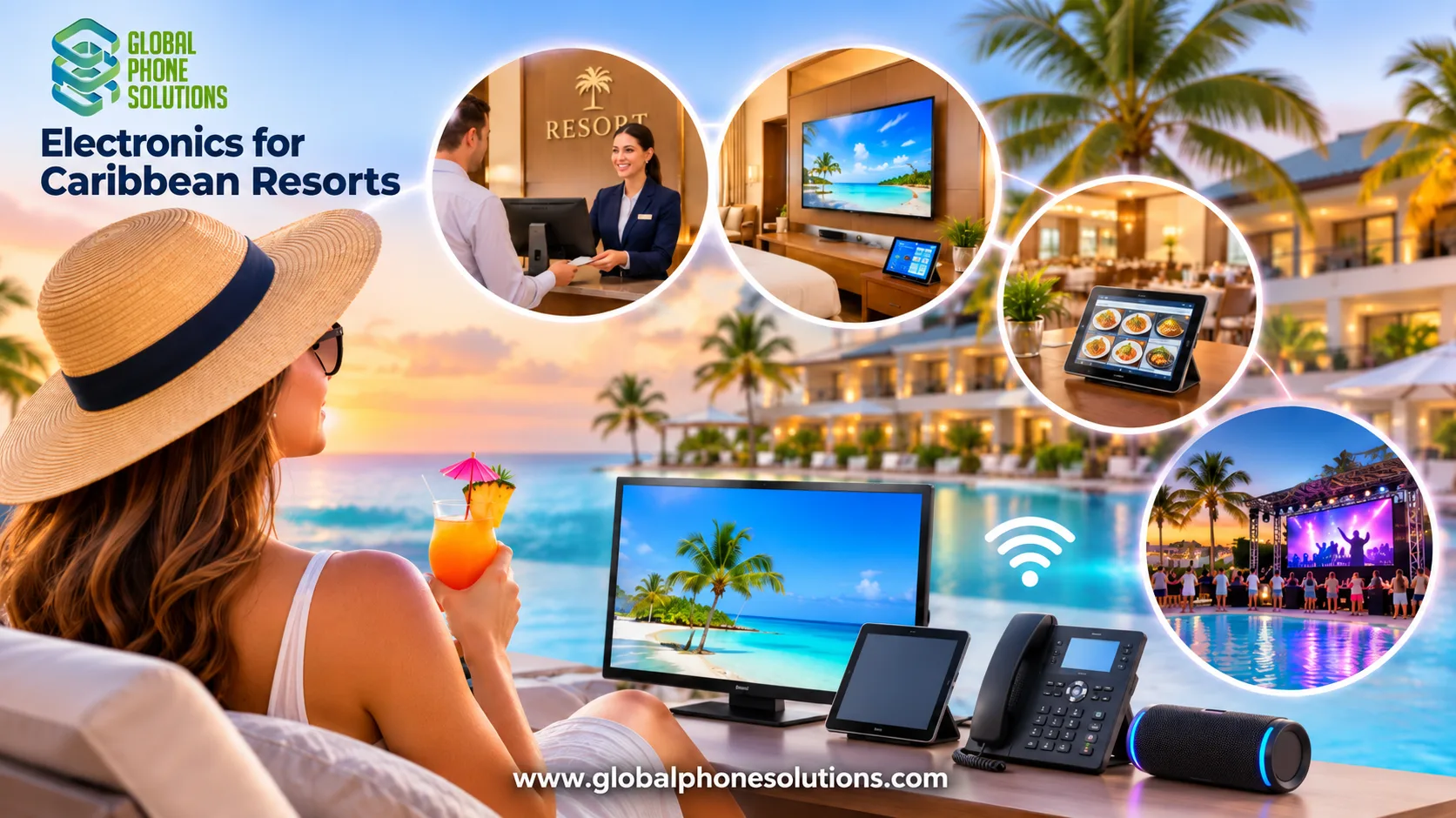
Beyond the devices: Wi-Fi, signage and smart systems
Guests judge a resort by how smoothly everything works together, not by any single gadget. Devices sit on top of a few other layers, and it helps to plan them at the same time.
- Wi-Fi and connectivity. Tablets, smart TVs and staff phones depend on a stable network across rooms, restaurants and outdoor areas.
- Digital signage. Screens at reception, restaurants and event areas keep schedules and menus current. Our guide to using TVs and monitors as digital signage explains how to choose them.
- Booking, payment and management software. Tablets and phones are how staff reach these systems at the desk, at the pool and on tours.
- Cloud and multi-island operations. Groups with several properties benefit from the same models and setups everywhere, so support and spare parts are shared.
In short, the software and network decide what a resort can do, and the devices decide how easily staff and guests can use it.
What makes the Caribbean different
Buying technology for an island resort is not the same as buying it for a city hotel. Some challenges are specific to the region.
| Challenge | Why it matters | What to do |
|---|---|---|
| Humidity and salt air | Moisture and salt can wear on electronics, especially outdoors | Choose suitable models, protect outdoor devices and ask about warranty for business use |
| Island logistics | A part or device may take days or weeks to arrive | Keep a reserve of spare devices and accessories on site |
| Import rules | Each country has its own customs process and taxes | Ask your supplier early who handles paperwork, duties and delivery |
| Weather and power | Storms and outages can interrupt operations | Plan for surge protection, backups and secure storage before the season |
| Multiple properties | Groups may run resorts on several islands | Standardize models so support and spare parts are shared |
| Seasonal peaks | High season leaves little time to fix problems | Order and test equipment well before the busy months |
The resort technology checklist
| Area | Devices | Quick tip |
|---|---|---|
| Front desk and back office | Monitors, tablets, phones | Standardize one model for all desks |
| Guest rooms | TVs, in-room tablets | Order a small reserve for replacements |
| Restaurants and bars | Menu screens, order tablets | Choose bright, clear screens |
| Pool, beach and events | Speakers, TVs, charging stations | Match audio power to the venue |
| Tour desk and excursions | Tablets, phones, portable speakers | Keep spares ready for every tour day |
| Staff communication | Smartphones, accessories | Include chargers, cases and power banks |
How to plan a resort technology order
- Walk the guest journey. From arrival to departure, note every screen, speaker and device.
- List areas and quantities. Rooms, front desk, restaurants, pool, tours, staff.
- Standardize models. Fewer models make training and repairs easier.
- Think about the environment. Consider humidity, sun, salt air and outdoor exposure.
- Add spares and accessories. Cases, chargers, cables, mounts and a reserve of key devices.
- Plan delivery around the calendar. Aim to receive and test equipment before high season.
- Get quotes from authorized distributors. Compare delivered price, warranty and delivery time.
- Keep records. Store model numbers, serial numbers and warranty dates.
For a deeper look at hotel devices, see our guide to hospitality technology distribution for hotels.
Mistakes that cost resorts guests
Choosing only on price. A cheap device that fails in high season costs far more than it saved.
Forgetting spares. On an island, “we will order a replacement” can mean a long wait.
Mixing too many models. Support becomes harder every time you add a new one.
Underpowered audio. Speakers that sound fine in a showroom can disappoint in an open-air venue.
Ignoring the environment. Check how and where the device will be used.
Buying from unverified sellers. Gray-market or unverified stock can cause warranty and compliance problems. See our list of red flags before placing a large wholesale order.
Why a regional distributor helps
A distributor that already serves the Caribbean understands the challenges above: shipping to islands, import paperwork, regional model versions and the need for fast support. Instead of working with many small suppliers, a resort or tour group can source phones, tablets, monitors, TVs, audio and accessories from one partner, with one set of terms and one point of contact.
How Global Phone Solutions supports Caribbean resorts and tour operators
Global Phone Solutions is a mobility and electronics distributor in business since 1996, serving the United States, Latin America and the Caribbean. Our range includes smartphones, tablets, monitors, TVs, audio and accessories from brands such as Samsung, TCL, JBL, Motorola and Apple, supported by cloud-based systems, logistics infrastructure and regional service centers. You can read more on our Caribbean distribution page or contact our team to talk about your property or tour business.
FAQs About Electronics for Caribbean Resorts
What technology does a Caribbean resort need?
Most resorts need front-desk monitors, tablets for check-in and in-room use, staff smartphones, guest-room TVs, menu and information screens, audio equipment for pool and event areas, and accessories such as chargers and cases.
How do I protect electronics from humidity and salt air?
Choose models suited to your environment, keep outdoor devices protected, follow the manufacturer’s care guidance and confirm that the warranty covers business use. Ask your supplier for advice for your specific location.
How many spare devices should a resort keep?
There is no fixed rule. Many resorts keep a small reserve of key devices, adjusted to how critical each device is and how long replacements take to arrive on the island.
Can a distributor ship electronics to Caribbean islands?
Many can. Ask which islands they serve, whether they ship by air or sea, who handles customs paperwork and what the delivery time is.
What audio is best for resort pools and events?
Choose speakers sized for the space and designed for outdoor use. Recognized brands such as JBL are widely used, and a supplier can help match models to your venue.
Do tour operators need different devices from resorts?
Tour operators often prioritize portable, durable devices: tablets and phones for bookings and payments, and portable speakers for briefings. Spare units are especially important when a tour cannot be delayed.
Is it better to buy from one distributor or several?
One distributor that covers phones, tablets, displays and audio usually simplifies ordering, delivery and support. Several suppliers can make sense for very specialized equipment.
Choosing the Right Electronics for Your Caribbean Resort
Guests will never thank a resort for a perfectly working tablet or a well-placed speaker. They will remember how easy check-in felt, how good the music sounded at sunset and how smoothly their tour ran. Behind every one of those moments is a device someone chose, ordered and tested in advance. Plan around the guest journey, prepare for island conditions, keep spares on hand and choose a distributor who knows the region.
Planning technology for a resort or tour business? Talk to Global Phone Solutions and tell us about your property.